Acceptable formats also includes EPS, Photoshop, InDesign.
IMAGE RESOLUTION
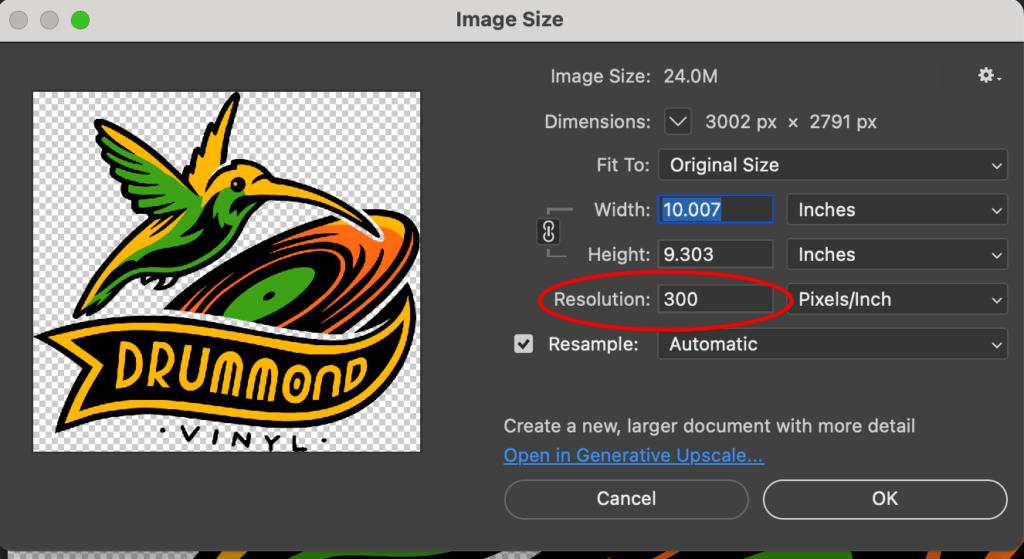
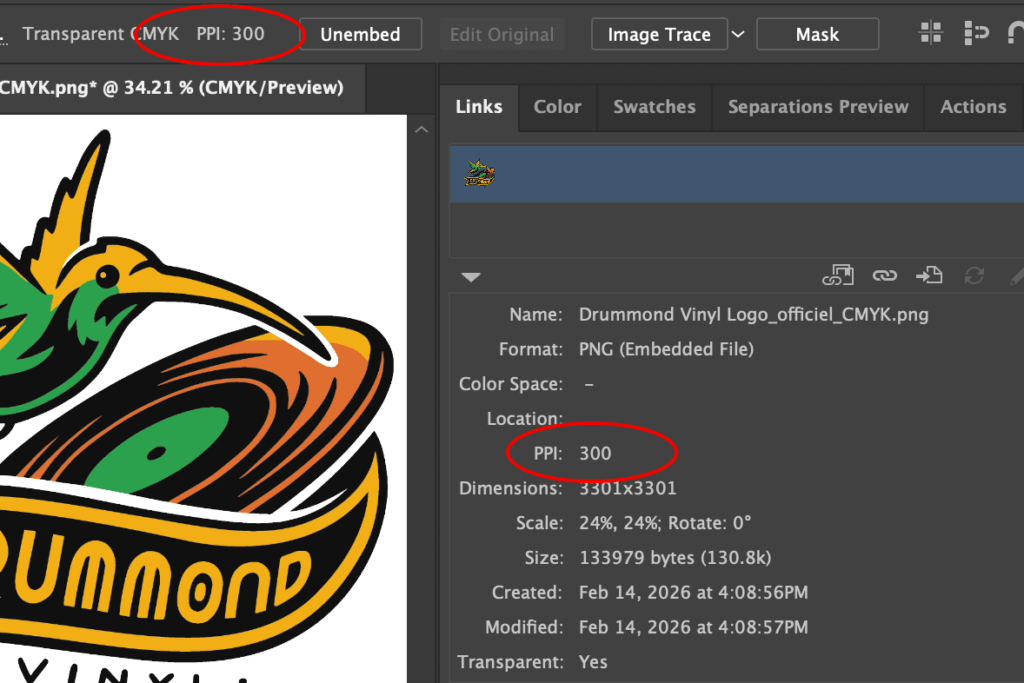
All images must have a resolution of 300dpi or higher.
If the resolution of your file is lower than 300dpi, converting it to 300dpi will not improve its quality. You will need to start from scratch with a high res file.
If you are sourcing your images from the internet, web resolution is often 72dpi (standard screen resolution) which will print pixelated.
Did you know? If the artwork is supplied at a low resolution, the printed image may appear blurred, jagged and rough.
300 dpi/ppi or higher ✅
72 dpi/ppi ❌
How to confirm your image resolution? See below! ⤵️
Photoshop Resolution
Illustrator Resolution
COLOR MODE
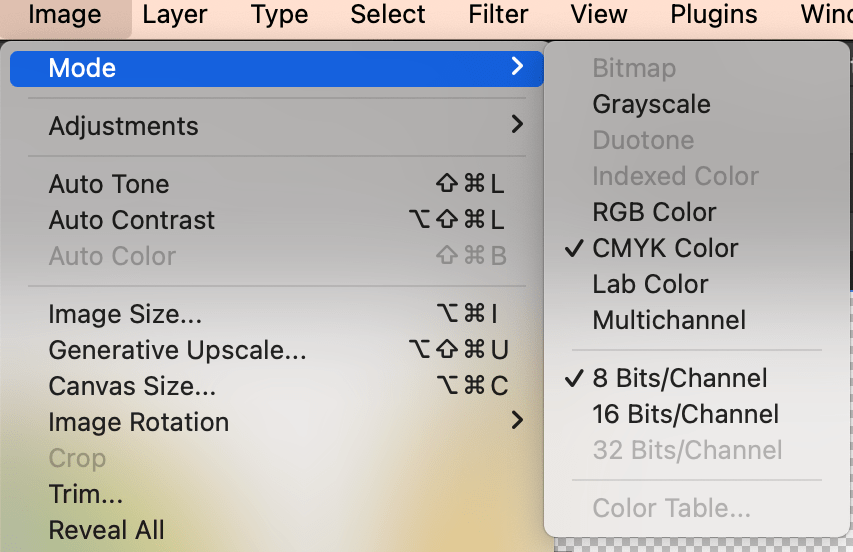
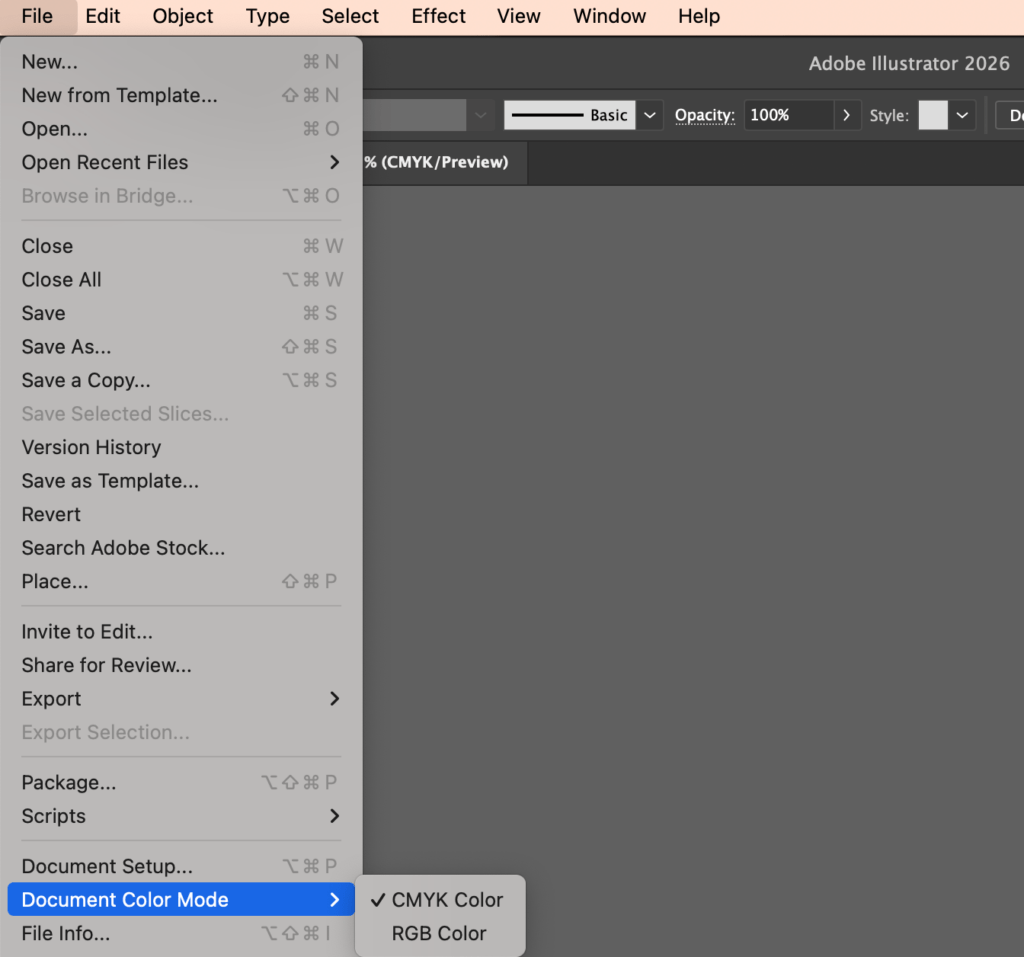
Please make sure that your design is set in CMYK color mode for printing.
CMYK is the color scheme used for mixing color in graphic designs, while RGB is associated with electronic displays, such as TV screens, monitors, camera, etc.
Photoshop color mode
Illustrator color mode
FONT OUTLINE
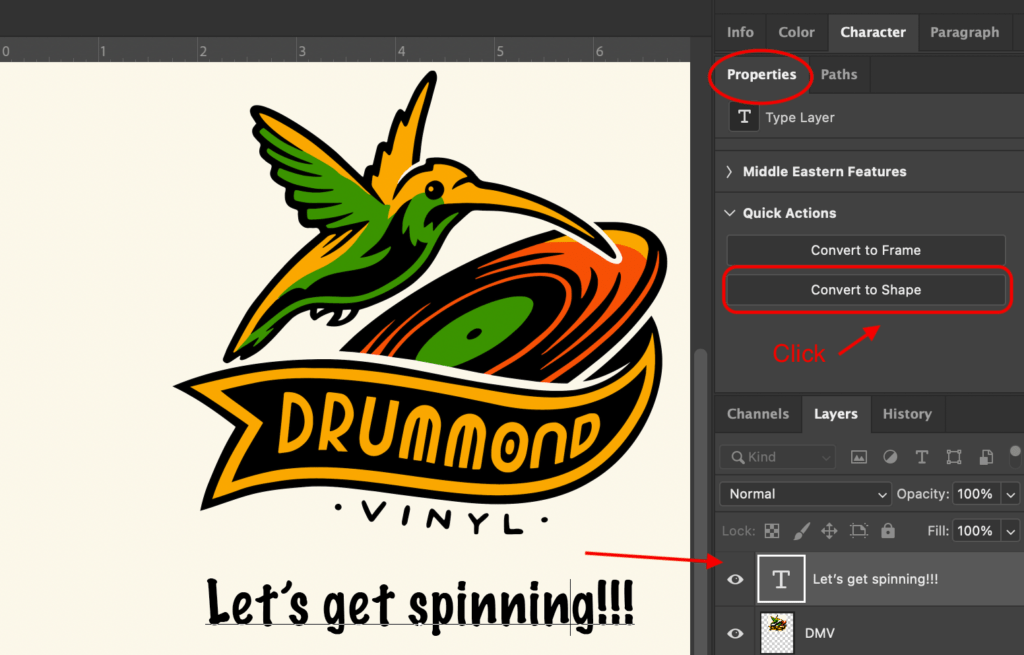
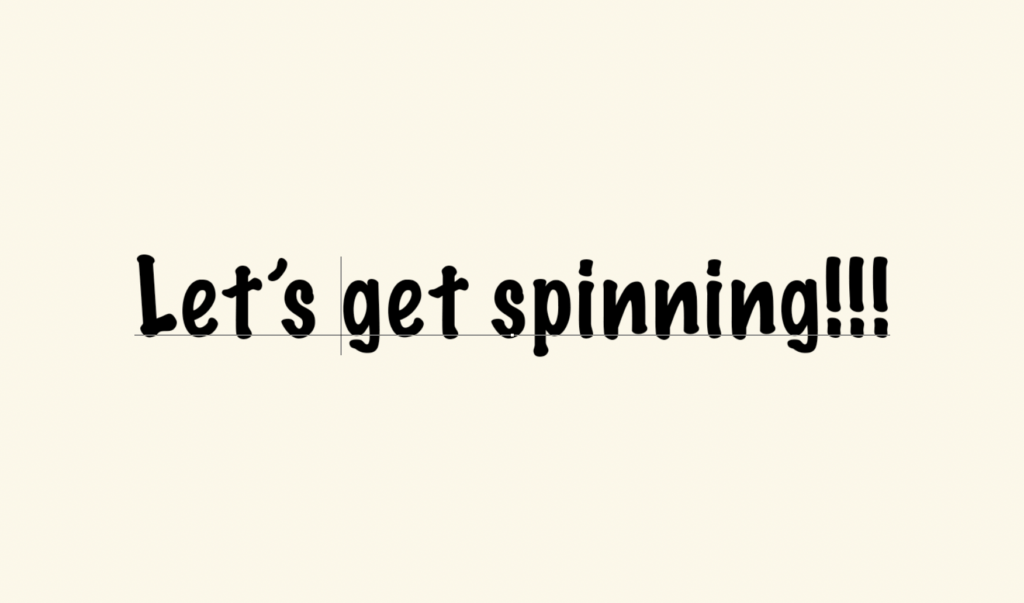
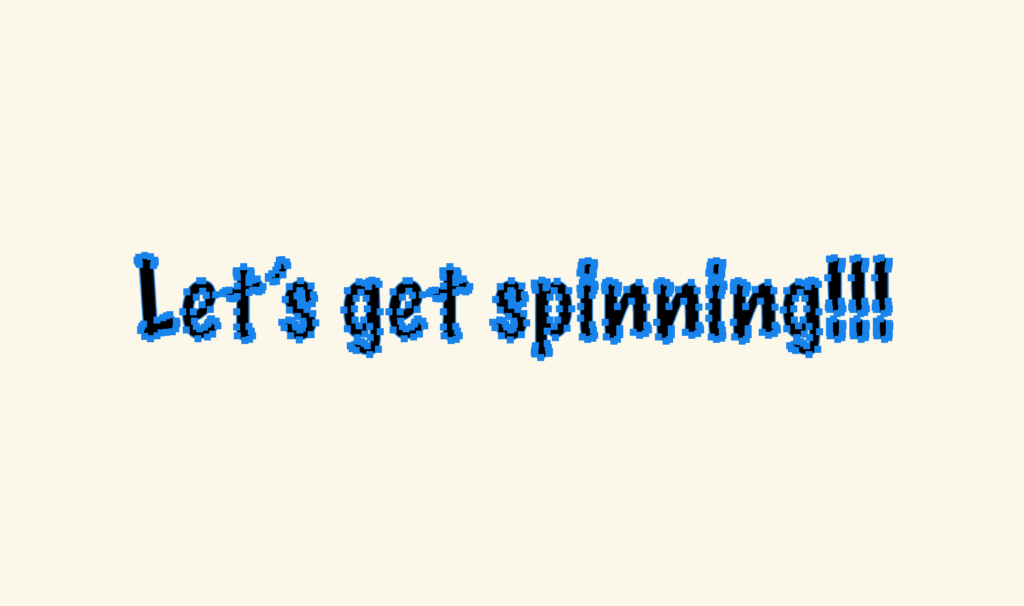
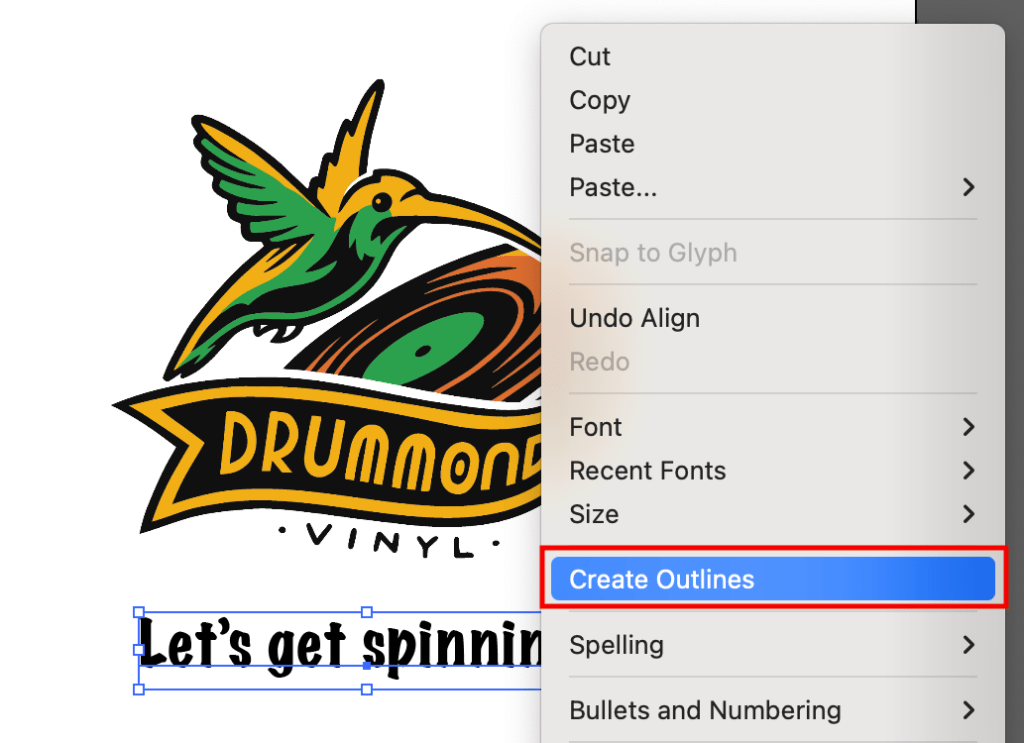
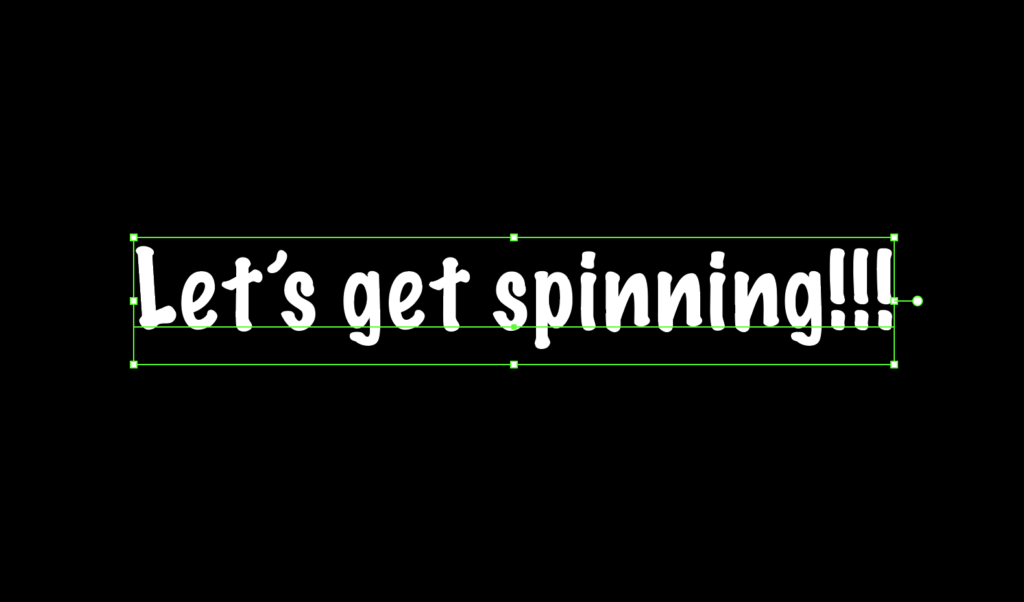
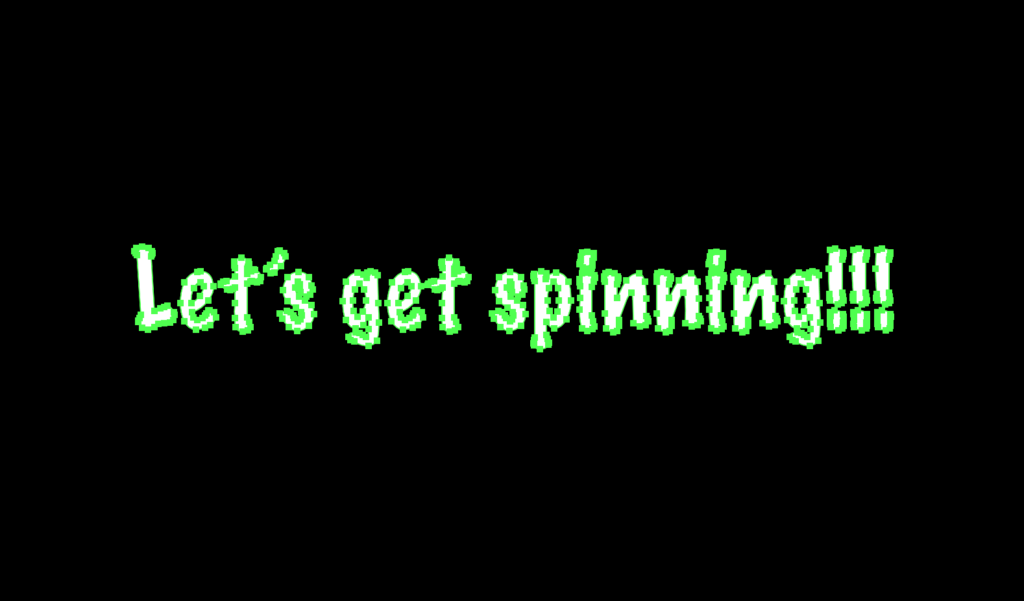
Please make sure the fonts are outlined if you are working on Adobe Illustrator or Photoshop.
If fonts are not outlined, they may be replaced by the software with other fonts or displayed incorrectly.
How to create an outilned font? See Below
Photoshop
Font non-converted to shape ❌
Font converted to shape ✅
Illustrator
Non-outlined font ❌
Outlined font ✅
EMBED
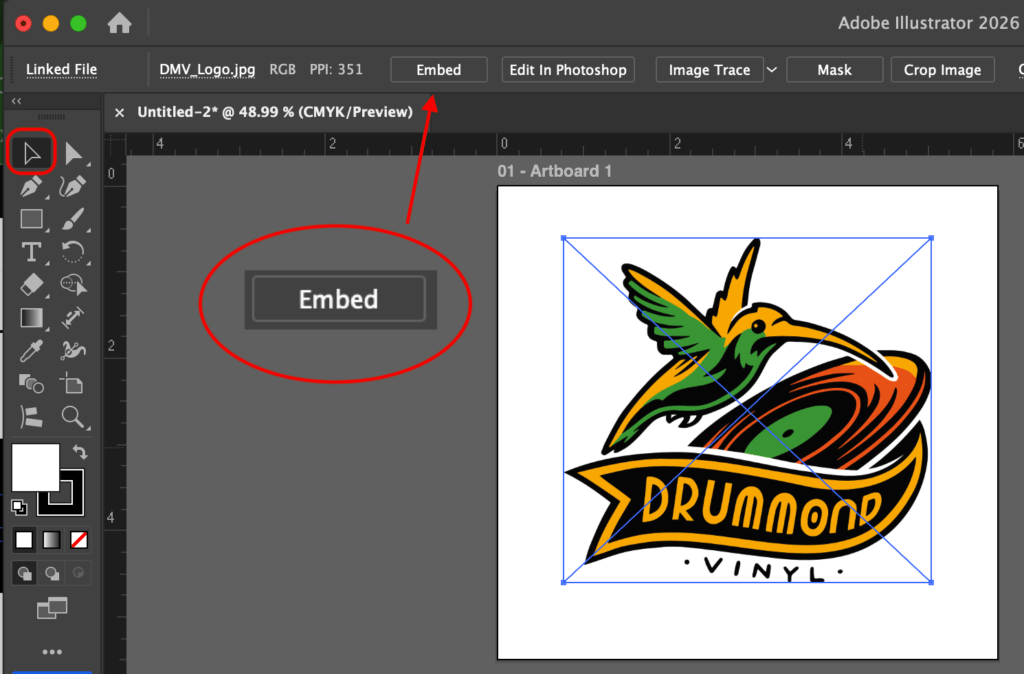
If there are image files added to your design, please make sure they are embedded.
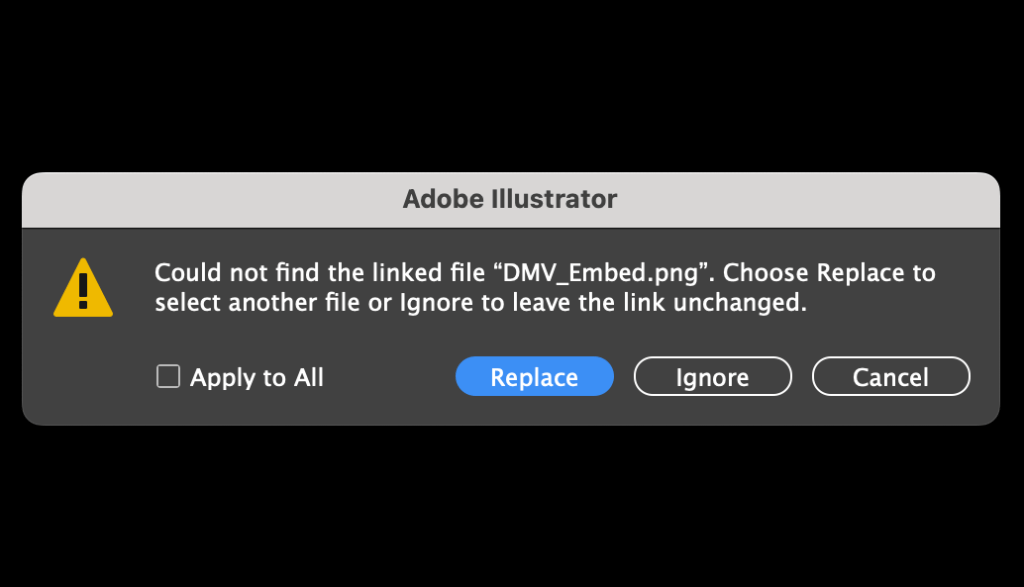
If images are not embedded properly, they will not be found or displayed correctly (will look pixelated).
Illustrator: How to embed
Message if non-embed file
Non-embed file ❌
TEMPLATE
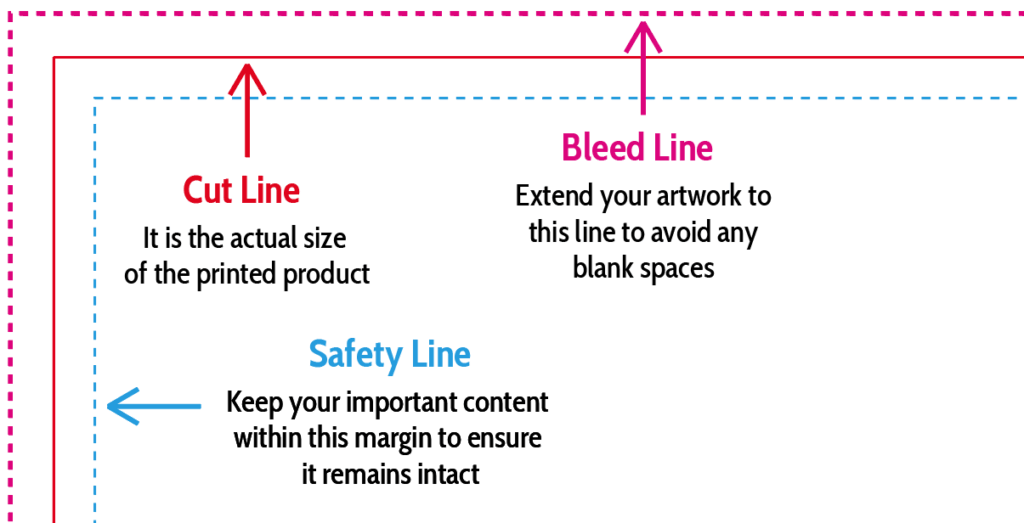
Designs must extend to the designated line (Bleed).
All important visuals must be contained within the dotted line (Safety).
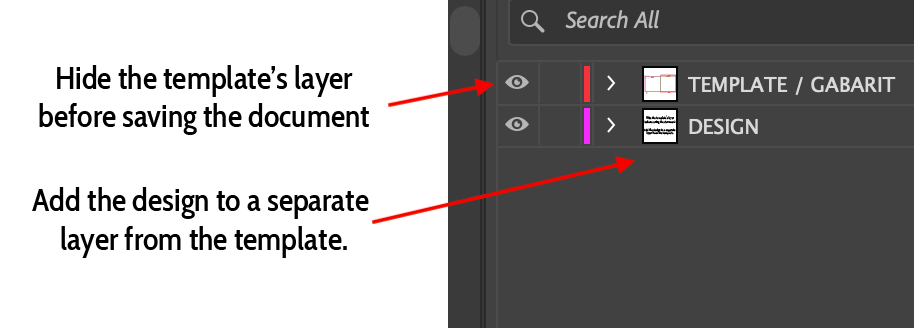
The design must be placed in a layer that is distinct from the layer containing the template.
It is essential that dielines (templates) are not embedded or flattened with the artwork.
Hide the template’s layer before saving the document
Did you know?Bleed is extra print that is trimmed away when your artwork is cut to size. If you do not have any bleed, when page shift occurs you will get a white line where there is no print.
BARCODE:
If you are using a barcode, it should be approximately 1.25″ x 0.5″ in size. Always place your barcode inside a white background box. The bars must be a 100% black vector-based file. Barcodes embedded in Photoshop or set up as CMYK may not scan correctly.